
Coming soon to the App Store

Willpower you can hold

MudLOVE Tap Rocks blocks the apps that steal your attention — and only a tap of your physical rock lets them back in. Real focus, anchored to a real ritual.

Get in touch See how it works
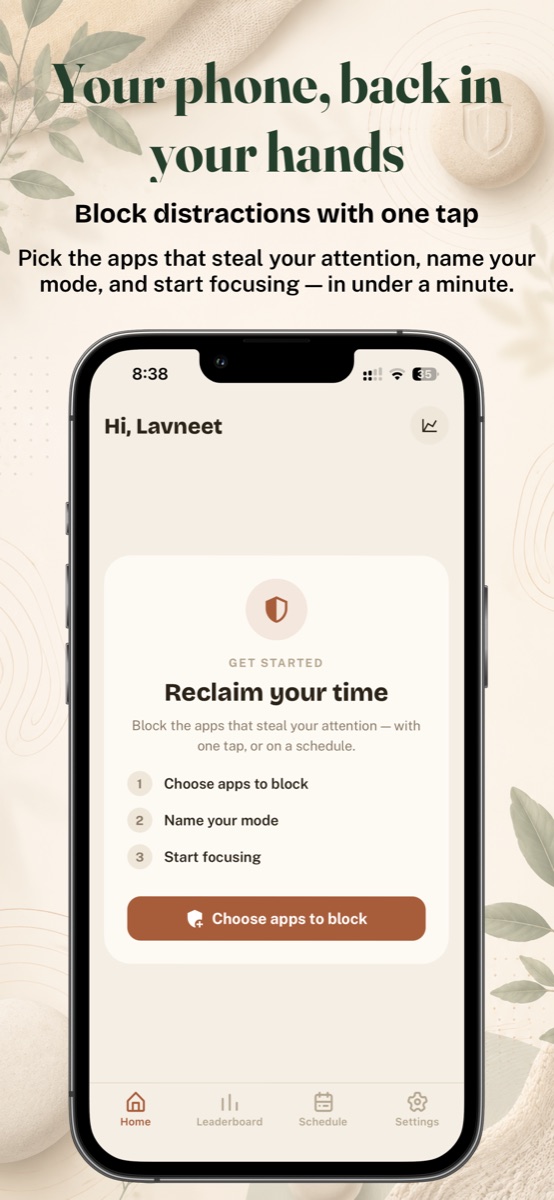
Home screen with a three-step get-started card: choose apps to block, name your mode, start focusing

Your phone, back in your hands

Block distractions with one tap

Pick the apps that steal your attention, name your mode, and start focusing — in under a minute. When a session is running, blocked apps simply won't open.
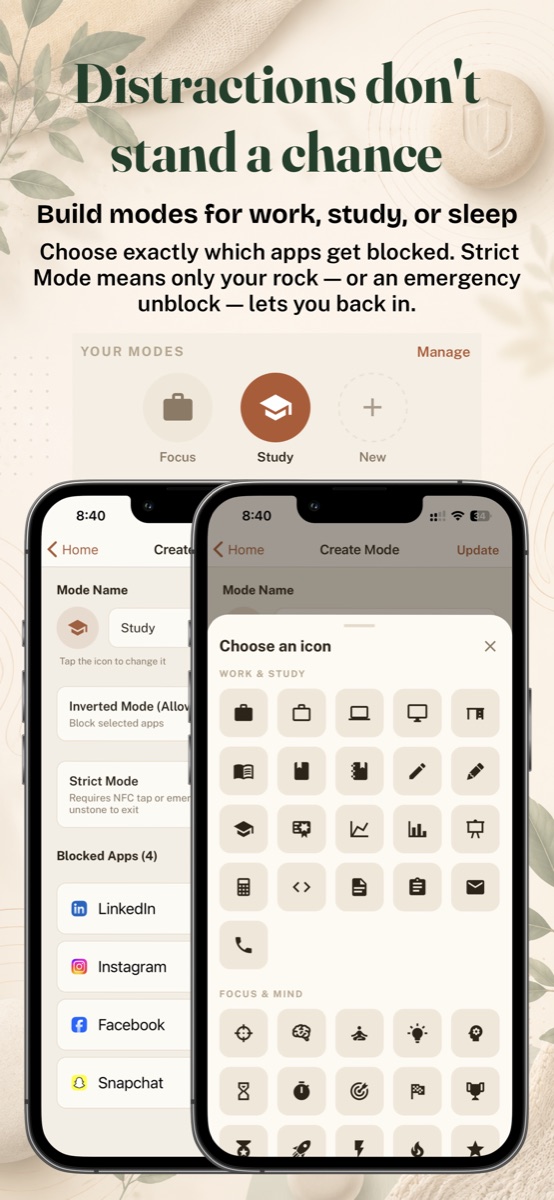
Create Mode screen showing a Study mode with blocked apps and an icon picker

Distractions don't stand a chance

Build modes for work, study, or sleep

Choose exactly which apps get blocked in each mode, and give every mode its own icon.

  • Strict Mode — only a tap of your rock (or an emergency unblock) ends the session.
  • Inverted Mode — allow a short list, block everything else.
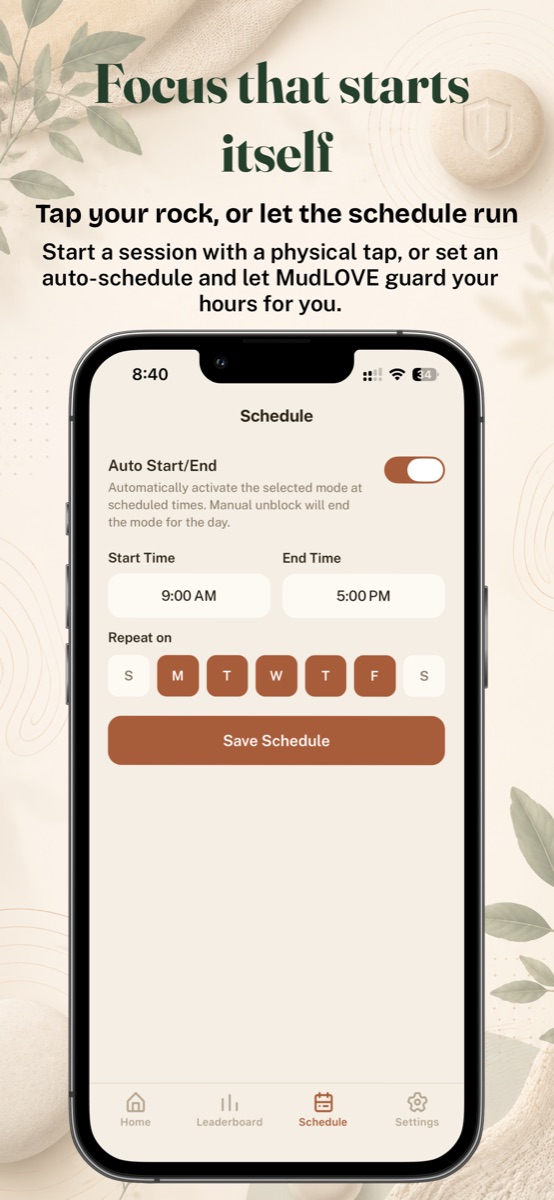
Schedule screen with auto start and end times and repeat days

Focus that starts itself

Tap your rock, or let the schedule run

Start a session with a physical tap, or set an auto-schedule — 9 to 5 on weekdays, evenings off — and let MudLOVE guard your hours for you.
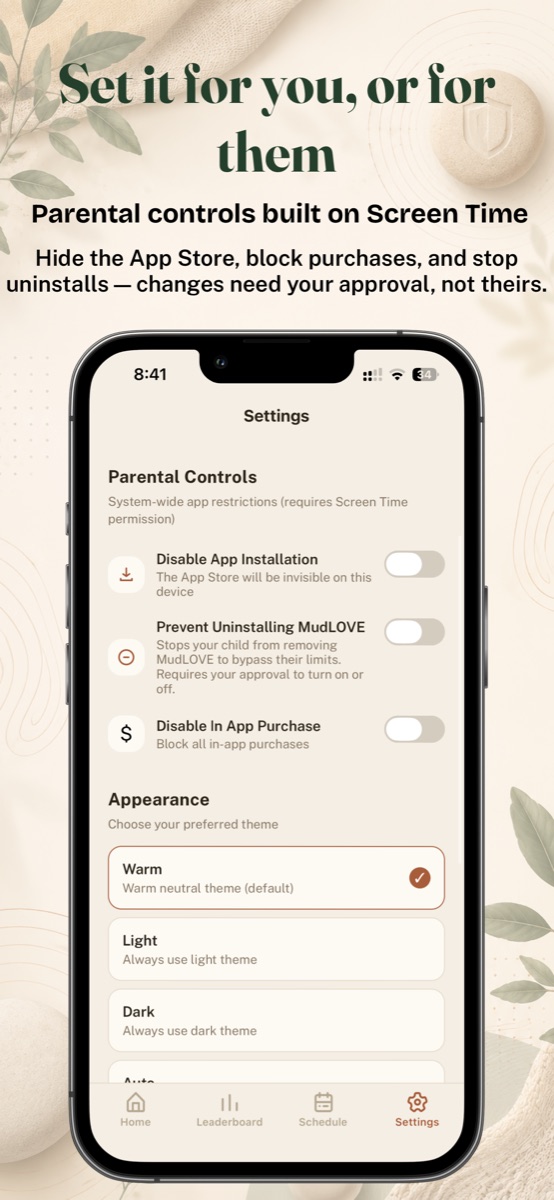
Settings screen with parental controls and warm, light, and dark themes

Set it for you, or for them

Parental controls built on Screen Time

Hide the App Store, block in-app purchases, and stop uninstalls — changes need your approval, not theirs. And pick your look: warm, light, or dark.

How the rock works

1

Pair your rock

Every MudLOVE rock carries an NFC tag. Tap it to your phone once to make it yours.

2

Tap to focus

Tap the rock to start a session. Your chosen apps lock instantly, system-wide.

3

Put it out of reach

Leave the rock in another room. Ending the session early means physically going to get it.

4

Tap to finish

Done working? Tap again to unlock. Your streaks and focus stats build day by day.